
Does either of these sound like you:
a) you haven’t put much thought into your website navigation menu - it’s just a list of pages, with with little to no strategy behind it
or
b) you started out with a simple, clear nav menu, but over time, things just kept getting added, and now it’s messy and confusing.
If you identify even slightly with either of these, and your website isn’t getting the results you want, there’s a good chance the navigation menu is part of the problem.
Don’t worry. It happens to the best of us. But it’s time to fix it.
Here’s how to design a navigation menu that helps your ideal clients find what they need, and take action towards working with you.
Your navigation menu as an overview of your business
Your navigation menu is one of the first things visitors look at when they land on your site. If it’s confusing or overwhelming, they’ll either bounce or drift aimlessly. Neither helps your business.
But an effective navigation menu should tell your visitors some key pieces of information at a glance. Without having to dig deeper or scroll through your site, they should be able to:
➡️ Understand what you offer
➡️ Find key information quickly
➡️ Take the next step (e.g. book a call, get in touch etc)
The smoother you can make your website visitors’ journey, and the less you make them think, the more likely they’ll be to trust you, understand you, and ultimately, buy from you.
There’s no ‘magic formula’ for the perfect navigation menu, but you can follow a few best practices:
Designing an effective navigation menu:
I've broken this down into 6 steps.
(Although many of the core principles are the same, these best practices are mostly for service based businesses. Different strategies might apply to things like ecommerce sites, public sector platforms, and education websites)
1. Start with ‘Home’
Yes, I do advise keeping a ‘Home’ link in your main navigation menu. Many websites follow the standard web convention of adding a homepage link to the logo in their header, and then leave it out of the main menu.
But the homepage is the main hub of your website, and should be the starting point if visitors end up lost, or enter the site from an internal page or blog post. Not all visitors will understand the ‘logo linking to the homepage’ convention, and the homepage is too important to hide it away.
2. End with a call to action
Think about a general next step you want visitors to take when they visit your website. This is your main call to action. People expect to see ‘Contact us’, ‘Book a demo’, ‘Book a call’ etc, as the very last link in your main navigation menu, because this is another standard web convention. It’s where they’ll look first if they’re ready to take the next step towards working with you.
Following conventions may sound boring, but the less you make your visitors think, the more likely they are to follow your planned user journey all the way to the end.
I wrote a whole article about increasing website conversions by following standard usability conventions (there’s a useful usability checklist included).
3. Stick to no more than 7 top level links
Yes, that includes the ‘home’ link and your CTA.
This is definitely an area where less is more. Too many links in your nav menu will make visitors’ eyes glaze over, and it’ll look messy and crowded.
Here are some tips for sticking to maximum 7 links:
➡️ Group pages together logically and include them as dropdown menus under your main links
➡️ If you have pages containing only a paragraph or two of content, consider merging multiple relevant pages together.
➡️ Not everything needs to be in your main menu. Consider putting links to less important pages in your website footer, or link to them strategically in your website copy.
💡 This is important:
Assuming ‘Home’ is your first nav menu item, and your main call to action is last, the links in between should be listed in order of importance.
4. Use descriptive labels
Each navigation link should have a short, descriptive name. As I covered earlier - your website navigation should give visitors an overview of your business at a glance.
You might have a cutesy name for your signature service, but if it doesn’t describe what the service is, you’re not giving visitors a reason to click on it.
The same goes for single words that don’t make any sense out of context. It might make sense to you as the business owner, but is it immediately obvious to a user? Will it make them click or hover over the menu item?
5. Keep it visible
On desktop, it’s good practice to use a sticky header – a navigation bar that stays visible as users scroll. This means your nav menu is permanently visible for easy and accessible navigation.
On mobile, though, a permanent header can take up too much space. A better option is a floating ‘back to top’ button, so users can quickly return to the nav menu.
6. Keep it mobile friendly
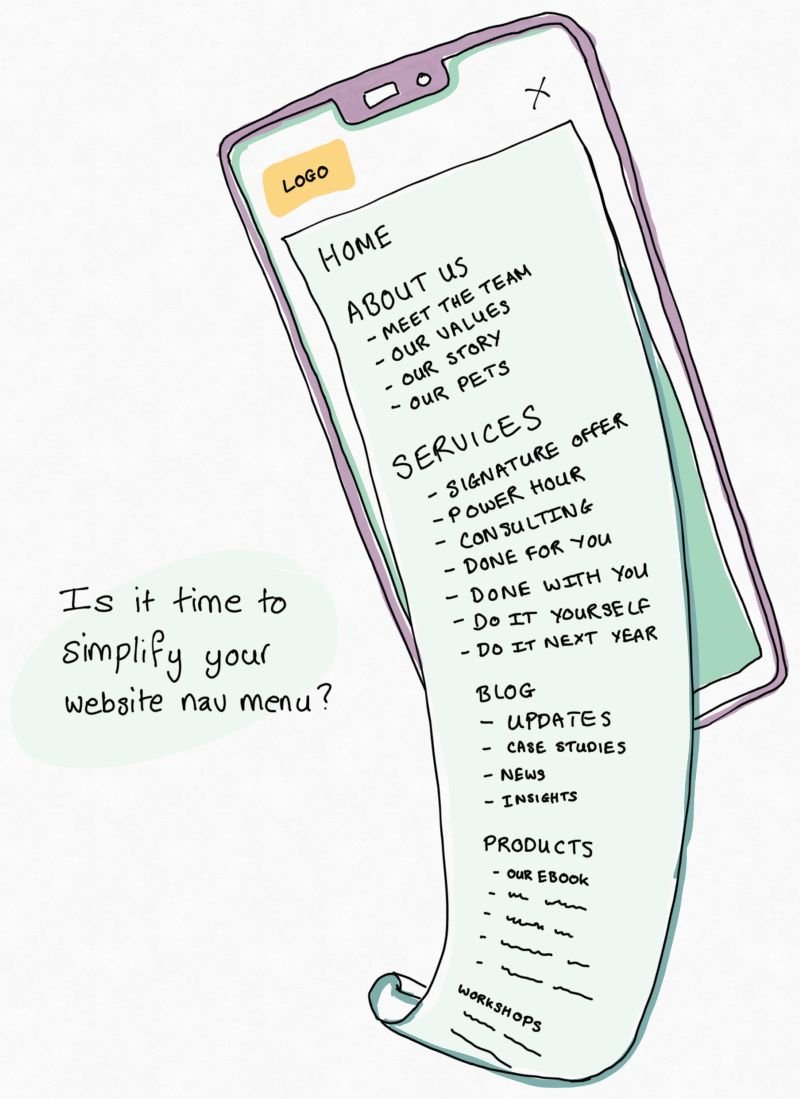
Speaking of mobile, don’t neglect the appearance of your nav menu on smaller screens. It’s common practice to have your menu collapse into a ‘hamburger’ icon for mobile and tablet, like this:

But often, tapping the hamburger icon opens the full menu, including all dropdowns, which can quickly become a chaotic mess on smaller screens.
If your nav menu is longer than the screen length itself, and you need to scroll down to see it all, you’re creating a bit of a UX nightmare.
In this case, you can either:
Speak to your web developer and ask them to make sure that your dropdowns are only accessible by tapping on the top-level links,
Or even better, simplify your menu (using the techniques from step 3 above) and make sure your entire navigation fits inside one screen, drop-downs and all.
Effective menu mapping is harder than you might think…
The bigger, more complex your website is, the harder it is to create a clear and streamlined navigation menu.
If you’re struggling, it might be because your page structure is too complex or illogical, there’s a lot of repetition across website content, or you haven’t fully mapped out your website user journey.
Trying to redesign your nav menu to fit best practices can often throw up questions about your overall website structure. My 3-bucket method is designed to help you to restructure your services for clarity and impact, helping users navigate through your site, and reducing decision fatigue.
In general, a simple, easy-to-use nav menu = a simple, easy-to-use website.
The easier it is to use and navigate through your website, the easier it is for potential clients to book a call, send an enquiry, or buy your stuff. So this is really important to get right. Don’t ignore it.